The Travel Insider
Southeast Asia's first one-stop travel portal designed for UOB Cardmembers. Inspire, plan, and book your next adventure with UOB Cards.
Find out moreFeatured

Earn 2.5% p.a. interest on your Uniplus Account when you invest or insure with us.
Now enhanced to make your money work harder as you save and invest or insure with UOB. Subject to qualifying criteria. T&Cs apply. SGD deposits are insured up to S$100k by SDIC.
Find out moreCard Privileges
Card services

Cross over to your favorite deals in JB with UOB Cards
Tap your way to 0% FX fees, cashback on MYR spend and instant savings with UNI$ redemption.
Find out moreBorrow services

Balance Transfer
Get instant cash at 0% interest and low processing fees. Choose from 3, 6 and 12-months tenor.
Find out moreFeatured Solutions

Your access to Private Bank CIO’s expertise
Invest in funds powered by Private Bank CIO – United CIO Income Fund and United CIO Growth Fund.
Learn more
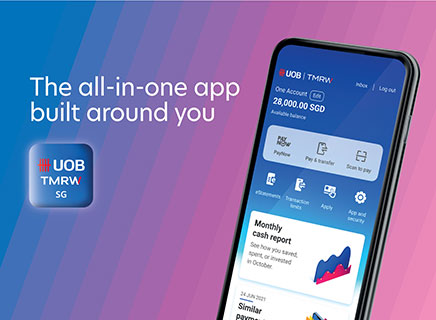
UOB TMRW
Meet UOB TMRW, the all-in-one banking app built around you and your needs.
Bank. Invest. Be rewarded. Take charge with UOB TMRW.

-
you are in Personal Banking

For Individuals
Wealth BankingPrivilege BankingPrivate BankingFor Companies
GROUP WHOLESALE BANKINGGroup SME BankingForeign direct investmentUOB Asean insightsIndustry insightsSUSTAINABLE SOLUTIONSAbout UOB
UOB GroupBranches & ATMsSustainabilityTech Start-Up EcosystemUOB WorldUOB Subsidiaries
UOB asset managementUnited overseas InsuranceUOB travel plannersUOB Venture managementUOB Global capital

UOB Card Fee Waiver
Fee Waiver via UOB TMRW App
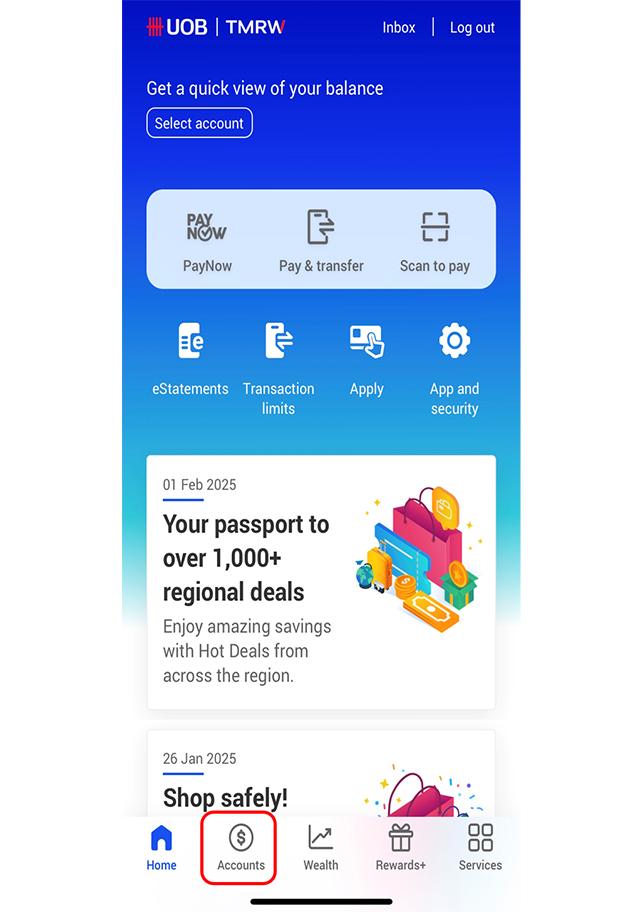
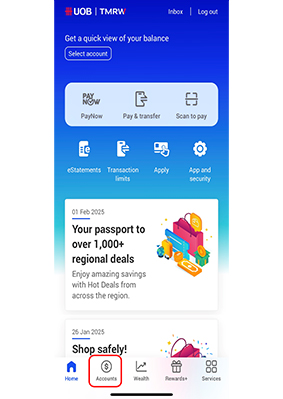
Log into UOB TMRW App
Select “Accounts”.
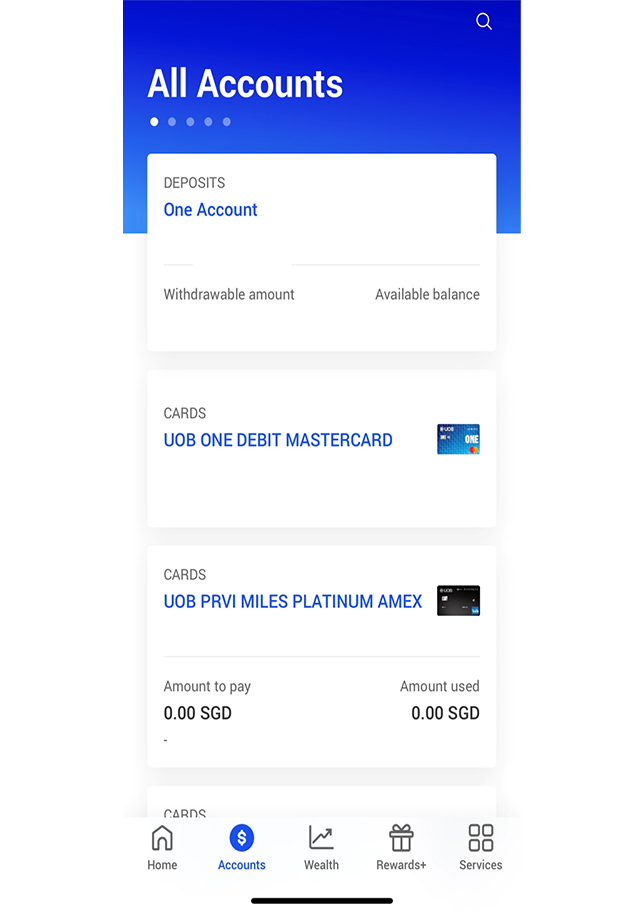
Card Selection
Select your preferred debit/credit card to waive the fee(s).
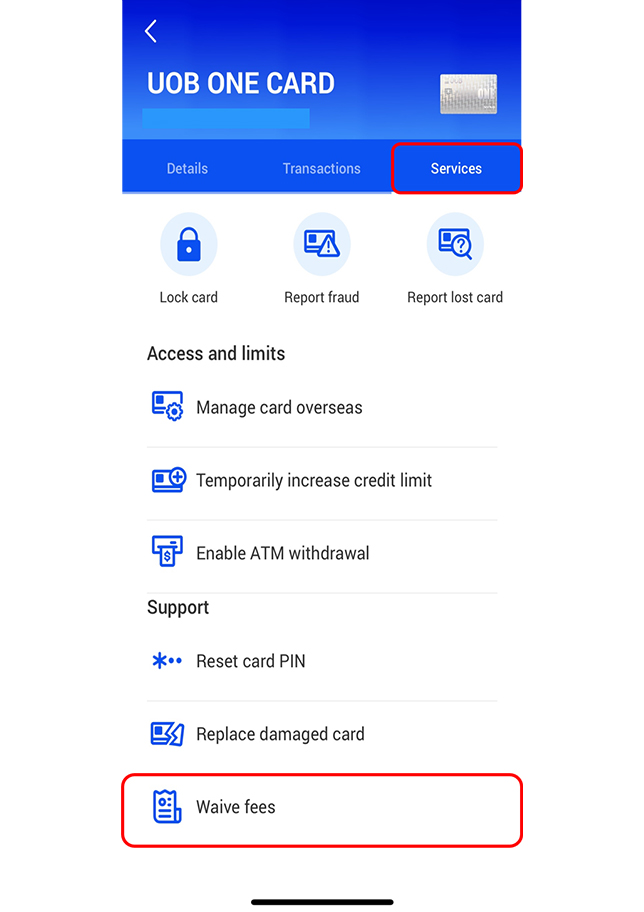
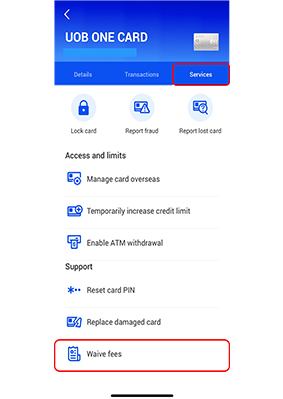
Select “Waive fees”
Under the “Services” tab, select “Waive fees”.
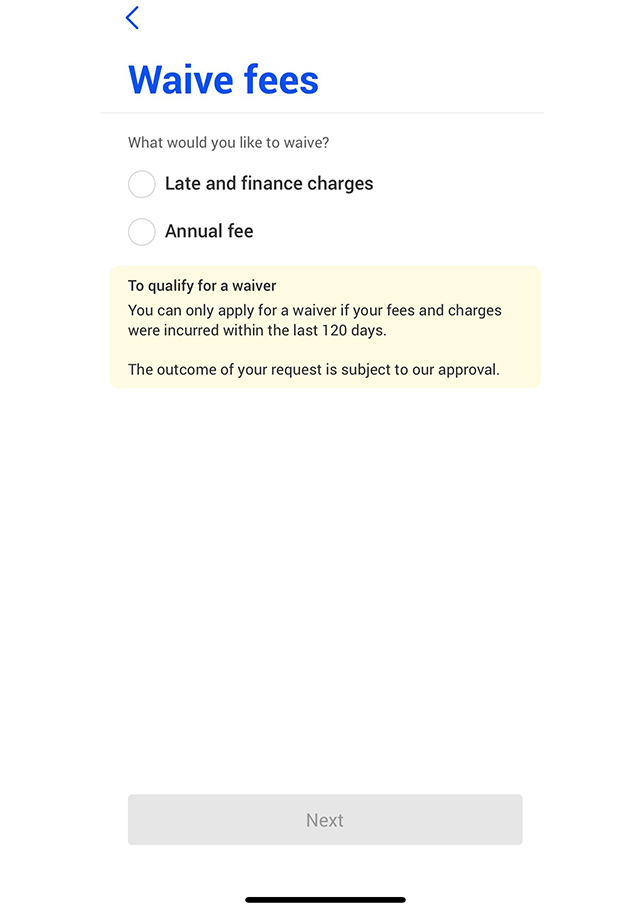
Fee Selection
Select the fees that you wish to waive and select “Next” to continue
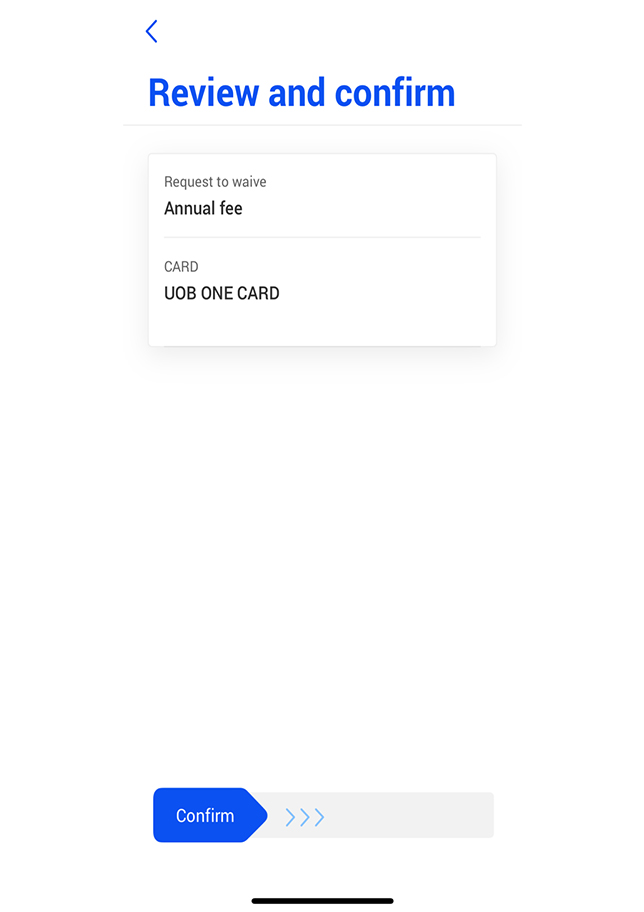
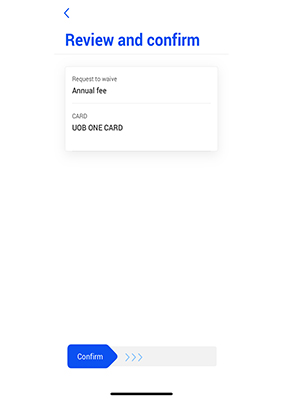
Review and Confirm
Review the details and swipe to confirm
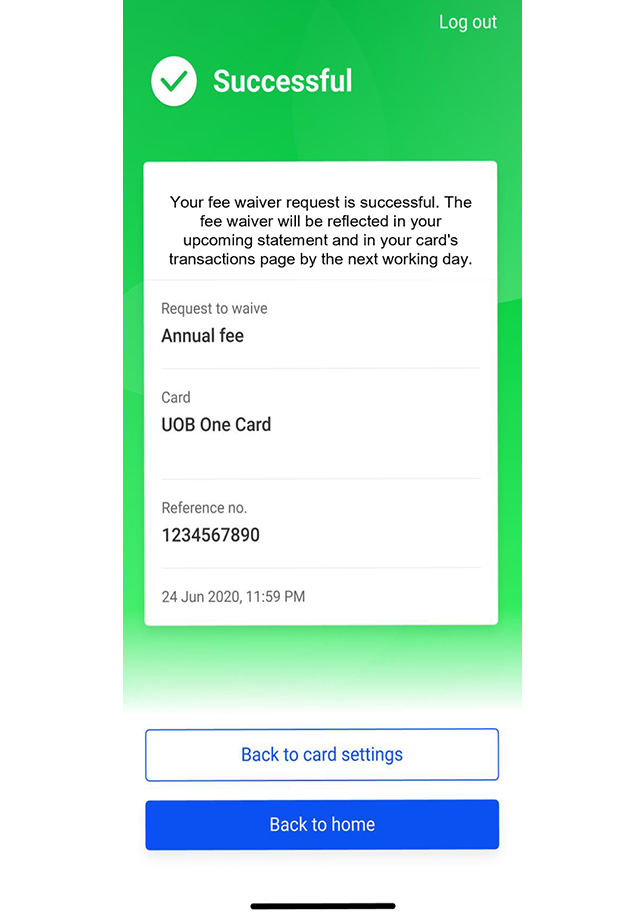
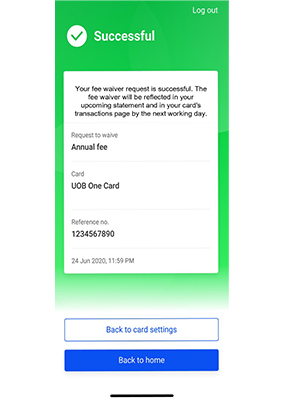
Fee Waiver Outcome
Please refer to your onscreen details
Fee Waiver via UOB Digital Assistant
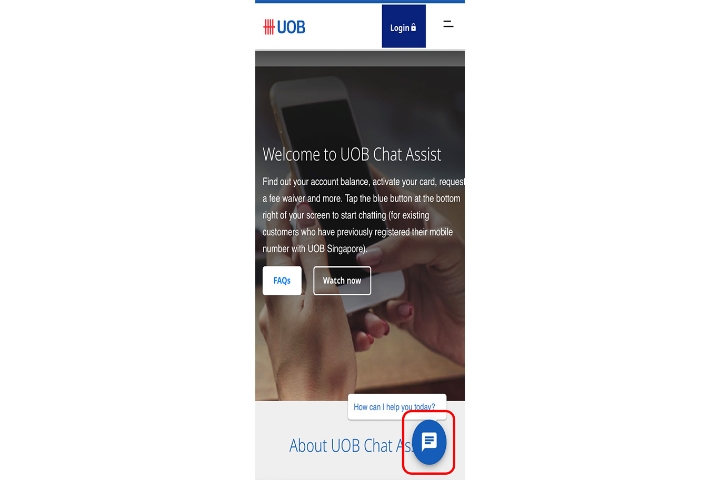
Visit UOB Chat Assist page
Visit https://www.uob.com.sg/personal/chat.page and select the chat icon on the bottom right to launch our UOB Digital Assistant.
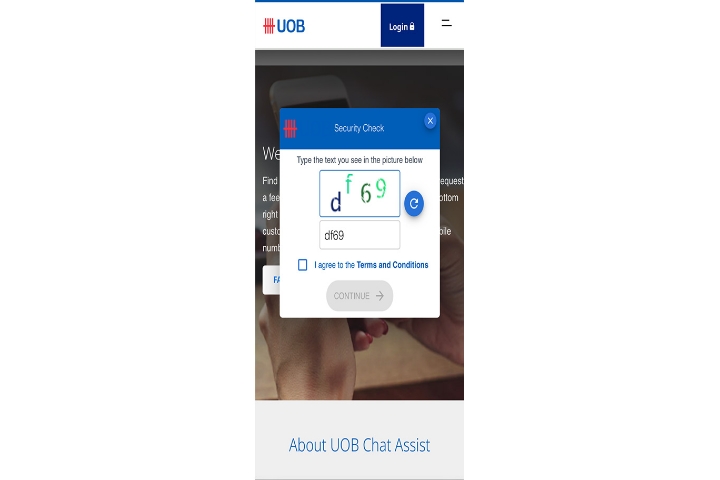
Complete security check
Type in the text you see in the picture
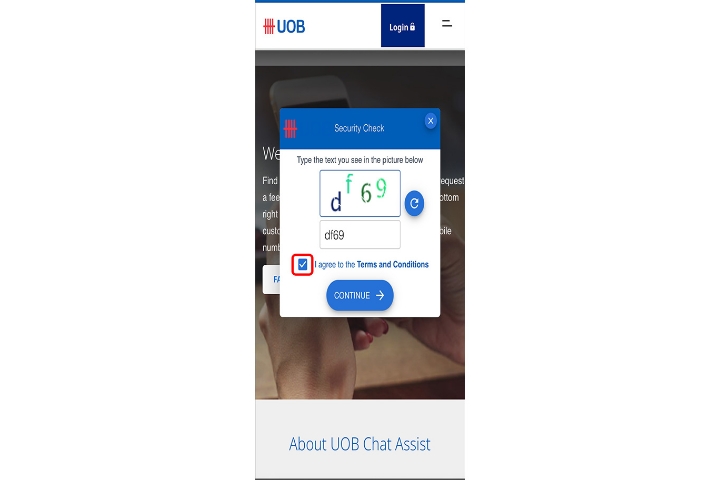
Agree to Terms and Conditions
Read & agree to the Terms and Conditions
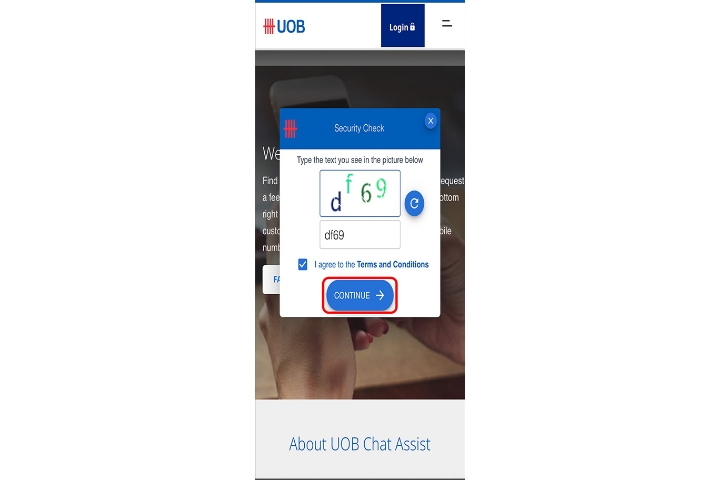
Continue to next step
Select 'Continue' button to proceed.
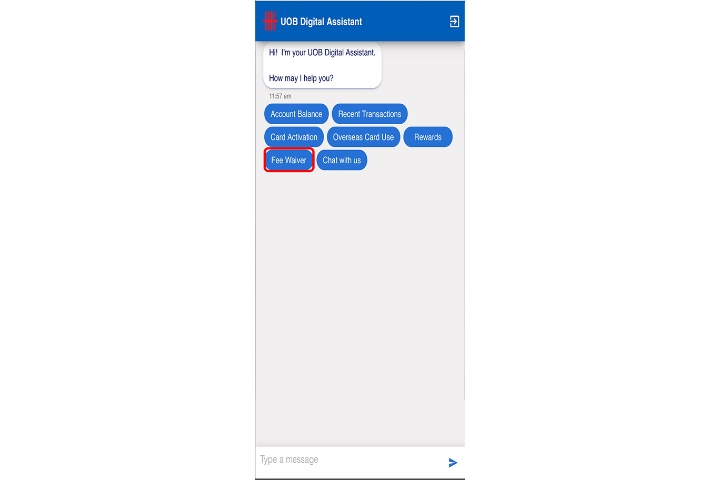
Select Fee Waiver option
Select ‘Fee Waiver’ button to proceed.
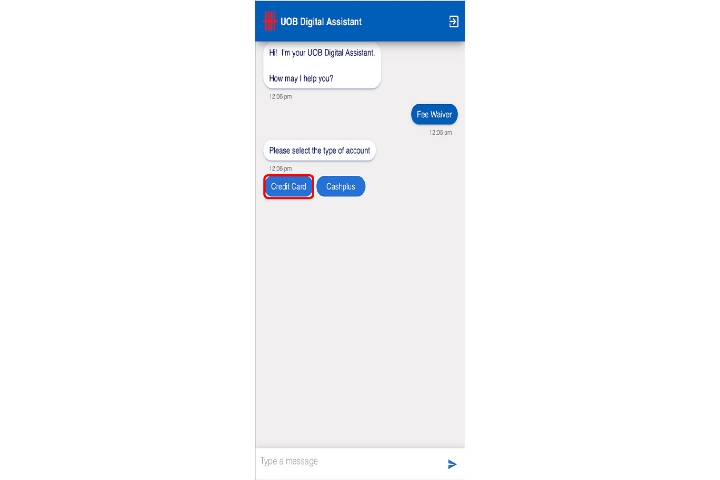
Select Credit Card Option
Select ‘Credit Card’ button to proceed.
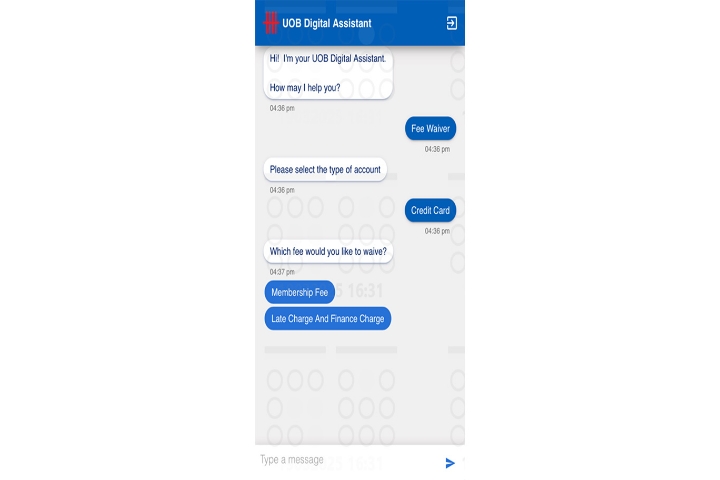
Fee Selection
Select the fee that you would like to waive to proceed.
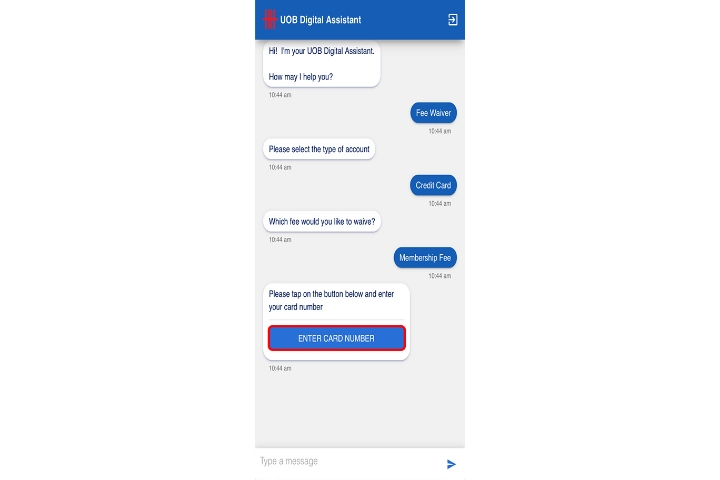
Card Number
Select ‘Enter Card Number’ button to key in your card details.
Key in Card details
Key in your card number and click ‘Submit’ to proceed.


Fee Waiver via UOB Digital Assistant
Visit UOB Chat Assist page
Visit https://www.uob.com.sg/personal/chat.page and select the chat icon on the bottom right to launch our UOB Digital Assistant.
Complete security check
Type in the text you see in the picture
Agree to Terms and Conditions
Read & agree to the Terms and Conditions
Continue to next step
Select 'Continue' button to proceed.
Select Fee Waiver option
Select ‘Fee Waiver’ button to proceed.
Select Credit Card Option
Select ‘Credit Card’ button to proceed.
Fee Selection
Select the fee that you would like to waive to proceed.
Card Number
Select ‘Enter Card Number’ button to key in your card details.
Key in Card details
Key in your card number and click ‘Submit’ to proceed.

We use cookies to improve and customise your browsing experience. You are deemed to have consented to our cookies policy if you continue browsing our site.